
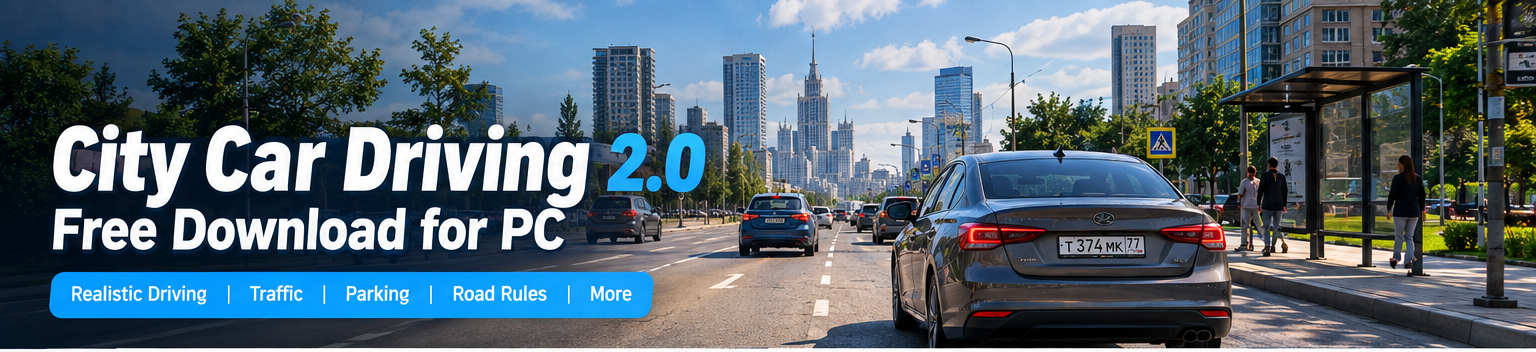
City Car Driving 2.0 Free Download for PC – Driving Simulator is a realistic driving simulator, focusing on everyday road situations instead of the usual racing. Players practice vehicle control, traffic awareness, parking, road signs and safe driving in an urban environment instead of fighting for the first place.
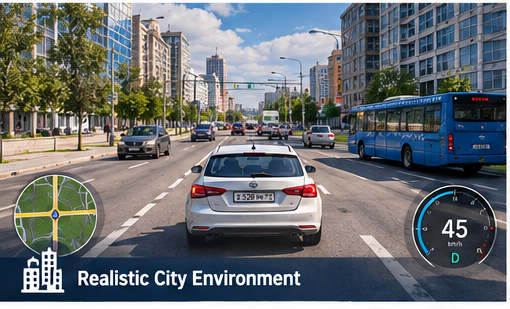
This game is very interesting for players who love realistic simulators. It includes traffic, intersections, pedestrians, road rules, different weather conditions, and various driving situations. That means each ride can feel different, like a simple arcade racing game.
What Is City Car Driving 2.0 Free Download for PC – Driving Simulator?
City Car Driving is a car driving simulator by Forward Development. Its primary goal is to simulate real-world driving situations in a virtual environment.
The emphasis isn’t on winning races as it is in traditional racing games. Instead, the game teaches players to drive safely and respond to common traffic situations. You may have to stop at traffic lights, follow road signs, change lanes, park a vehicle and respond to other traffic.
There are also a variety of driving conditions in the game. Players can find themselves in situations with traffic, weather and road layouts. These characteristics lead to a more enjoyable simulator for players who prefer a slower and more realistic driving experience.
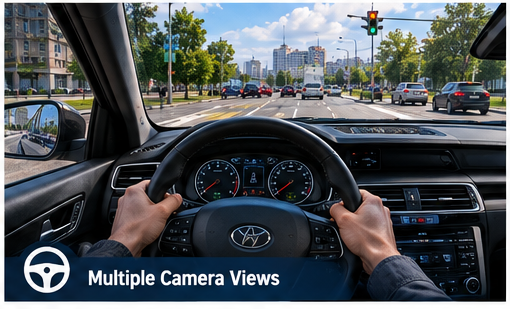
The simulator also offers several control and camera options. Players can use keyboard, steering wheel or other supported input device. A steering wheel can give a more immersive experience, but keyboard is easier for beginners.
The overall design is learning and practice oriented. It’s not just about driving as fast as you can; it encourages you to be aware of the road.
Quick Facts About City Car Driving
| Information | Details |
|---|---|
| Game | City Car Driving |
| Genre | Driving / Simulation |
| Developer | Forward Development |
| Publisher | Forward Development |
| Platform | PC |
| Gameplay | Driving Simulation |
| Main Focus | Road Driving and Traffic |
| Camera | Multiple Driving Views |
| Mode | Single-Player Simulation |
| Setting | Urban and Road Environments |
Summary of the Story
City Car Driving doesn’t have a story like an RPG or adventure game.
There is no main hero with a scripted storyline. Instead the player is free to define his own driving experience by choosing a vehicle, a location and a driving situation.
The primary purpose is to drive a vehicle safely and to carry out a variety of driving activities. You can practice your basic road skills or simply explore the available roads.
This method helps to differentiate the game from story driven titles. No big cinematic scenes or complicated character relationships. The main environment is the road itself.
For example, you might start with a short drive around the city. During the trip you might find traffic lights, crossings, pedestrians, parked cars and other vehicles. Every situation demands attention.
When you’re comfortable with the controls, you can try more complex driving situations. You can also practice parking and other common maneuvers on the road.
The “story” of City Car Driving is thus the player’s own driving experience. First you learn the controls then you get more comfortable with different road situations.
City Car Driving Characters
City Car Driving doesn’t have traditional named characters.
Basically the player is the driver. The simulated traffic system also includes other vehicles and people in the environment.
The Player’s Driver
The main thing you have to do is drive the car. You decide when to accelerate, decelerate, turn, change lanes, and park.
There is no regular character progression system in the driver. And it’s not that you’re learning to drive, but you’re learning the controls and road situations.
People on foot
Pedestrians could appear in the city environment. Their presence adds another thing that drivers need to look for.
Players must be aware of crossings and surroundings. This also contributes to a more realistic driving environment.
Other drivers
Traffic vehicles are another major component of the simulation. Other vehicles may cross intersections, change lanes, stop at traffic lights, and create situations requiring careful reactions.
That means you can’t just drive off without minding the road. “You’ve got to consider what the other cars are doing.
How to play
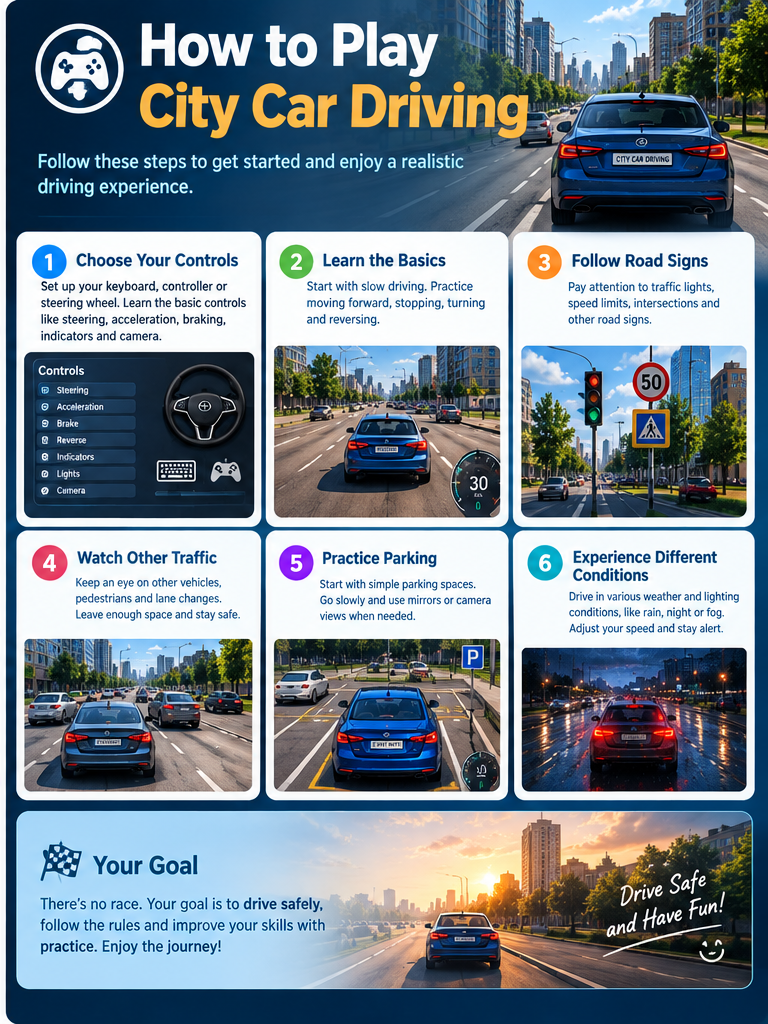
The gameplay of City Car Driving is based on realistic driving on roads.
At the beginning, players must get used to the basic controls. These include steering, accelerating, braking, reversing and turning.
Once you get the hang of the basic controls you can start driving around the environment.
It’s all about traffic awareness in the game. For example, it takes less attention to drive on a deserted road than approaching an intersection.
You might have to
- Obey traffic lights.
- Follow the road signs.
- Stay in your lane.
- Where applicable please use indicators.
- Watch your speed.
- Stop when you need to.
- Look at the cars around you.
- No crashes.
- Park properly.
- Adjust to changing road conditions.
These mechanics add to the game feeling more like driving in real life than an arcade racer.
City Car Driving How to Play
Step 1: Pick Your Controls
The first thing to do is decide how you want to control the car.
The simplest choice is a keyboard. But players who have a compatible steering wheel can use it for a more realistic driving experience.
Before starting a long drive you should also prepare the controls.
Know what buttons do:
- Steering
- Acceleration
- Braking
- Reverse
- Indicators
- Lights
- Camera
- Handbrake
It’s best to learn these controls early as the rest of the game will be easier.
Step 2: Understand Basic Vehicle Dynamics
Take it easy.
Do not drive at high speed immediately. First, get a feel for how the vehicle reacts when you accelerate and turn.
Practice going ahead.
Then practice stopping.
Now practice gentle turns and reversing.
This simple exercise will teach you just how much steering and braking you need.
Step 3: Work on Stopping and Starting
Smooth stopping is an important part of realistic driving.
Don’t floor the accelerator immediately. Pick up speed gradually. When approaching a stop, gradually lift your foot off the gas and start braking gently.
This gives you better control.
You should also practice stopping at intersections and traffic lights.
Step 4: Follow Road Signs
“Road signs” are important in City Car Driving.
Watch for speed limits, intersections, turns and other signs around the road.
Signs to follow can help to keep your driving more controlled. It also helps you make sense of the world around you.
Don’t just focus on the car immediately in front of you. Look further down the road too.
Step 5: Watch the other traffic
Traffic is one of the main parts of the simulator.
Other vehicles may slow down, stop, turn or change lane. “Keep an eye on the traffic around you, always,” he said.
Leave enough space between your car and the car in front of you.
This gives you more time to react if traffic suddenly slows down.
Step 6. Practice parking
Parking is one of the more difficult things to do, for starters.
Start with simple parking spaces.
Take your time and use your mirrors or camera views as needed.
Take your time.
Small steering adjustments are usually easier than large movements. With practice, parking becomes much more comfortable.
Driving Conditions and Environment
One of the interesting parts of City Car Driving is the focus on different road situations.
It is not the case that the road is completely empty. Traffic and other road users can increase the demands of driving.
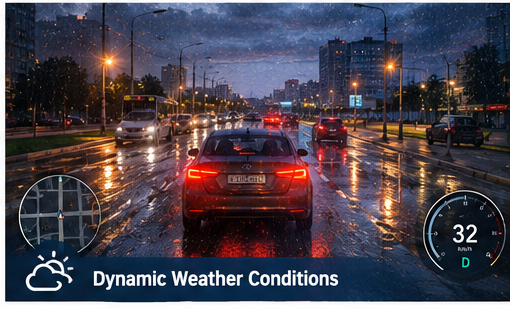
Weather can also have an effect on the overall experience.
Rain, darkness, and other conditions can make it harder to see the road. “Players have to adjust the way they drive.
For example, you may want to reduce your speed when visibility becomes lower.
The environment becomes more than a mere backdrop. It creates situations that require players to pay attention.
Tips for Newbies
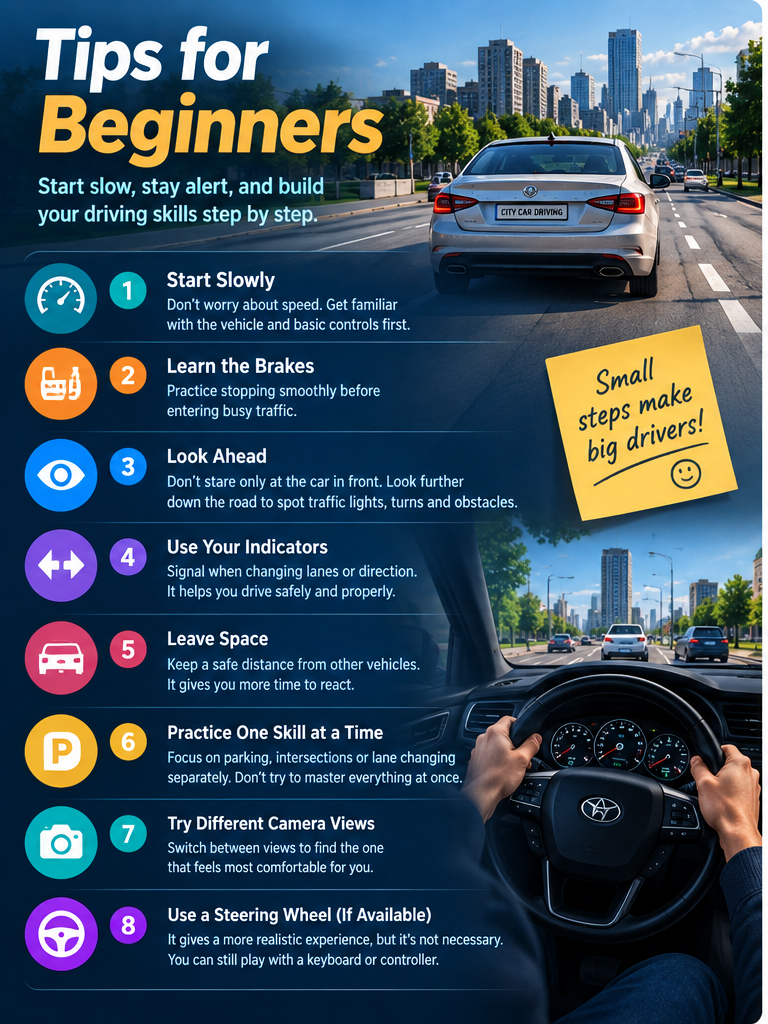
If you’re just starting City Car Driving, then these tips will help you to learn the game more easily.
1. Take It Slow
Don’t worry about going fast.
The simulator is based on control and awareness. Start out at low speeds and get familiar with the vehicle.
2. Get The Brakes
Braking is just as important as acceleration.
Practice a smooth stop before you get into busy traffic.
3. Look Forward
Don’t just look at the car directly in front of you.
Look further down the road, so you can see traffic lights, turns and potential obstacles earlier.
4. Signal Your Intentions
Signal before turning or moving lanes.
This also helps you develop better driving habits in the simulation.
5. Make Space
Follow other cars at safe distances.
Leaving a good distance means you’ll have more time to react to changes in traffic.
6. Work On One Skill at a Time
Don’t try to learn everything in one go.
You can use one session to practice parking. Then, work on intersections in another session.
This facilitates learning.
7. Try Various Camera Angles
Your perception of the vehicle’s position can change based on different camera angles.
Play around with the views you have and pick the one that you find easiest to control.
8. Parking , Don’t Rush
Go slow and you can park easier.”
Small adjustments are usually easier to control than sudden steering movements.
9. Know the Vehicle
Every car can have a different feel.
Before you hit the heavy traffic, spend some time learning how to accelerate, brake, steer and turn.
10. Utilize a Steering Wheel if Possible
A compatible steering wheel can make for a more immersive simulation experience.
However, it is not necessary. And there are other supported controls for you to play with.
System & PC Specifications
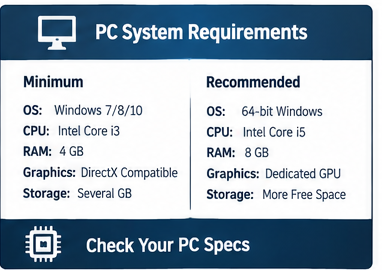
Before downloading or installing City Car Driving check your computer’s specifications.
System requirements may differ between versions and updates. So always check the requirements on the game’s current official store listing and compare them with your PC. https://store.steampowered.com/app/493490/City_Car_Driving/
System Requirements (Minimum)
Typically a good entry-level gaming PC should have:
Operating System: Windows 7/8/10 or compatible supported Windows version
Processor: Equivalent to Intel Core i3 processor
RAM: 4GB or more
Graphics: DirectX 9 compatible graphics card
Storage: A couple of GB free
DirectX: Version of DirectX compatible
Sound: DirectX compatible sound card
These specifications are provided as a broad guideline. The requirements for the operating system and hardware are subject to change, so you should always check the current official requirements before installation.
Possible configuration includes:
Operating System: 64-bit Windows version supported
Processor: Intel Core i5-class processor or better
RAM: 8 GB or higher
Graphics: Dedicated mid range graphics card
Storage: Enough space for the game and updates
DirectX: DirectX version supported
You can use a keyboard, a controller or a steering wheel with the game
Higher graphical settings, you can benefit from a better graphics card. Having more RAM can be handy if you run the game alongside other applications.
Is City Car Driving a Racing Game?
Nope. City Car Driving is more of a driving simulator than a racing game.
That’s an important distinction.
The main goal in a racing game is usually to finish the course before the other players.
City Car Driving reflects the everyday road situations.
You are encouraged to:
Obey traffic laws.
Keep your speed down.
Look at traffic.
Utilize road signs.
Practice parking.
Stay collision free.
Able to control vehicles.
So players seeking realistic driving practice may find the simulator very different from arcade racing games.
Concluding Thoughts
City Car Driving 2.0 Free Download for PC – Driving Simulator is for players who are looking for a driving experience focused on everyday road situations, not traditional racing. It combines traffic, road signs, intersections, parking, weather and vehicle control for a more simulation based experience.
This is not a traditional story with named characters. Rather, it’s the player that is the heart of the experience. Each drive can be a mini practice session, where you learn something new about vehicle control and awareness in traffic.
The core gameplay is also easy to pick up on. Select a car, set your controls, get on the road and drive. But it takes practice to get comfortable with the simulator. Beginners must be patient and practice one skill at a time.
For fans of realistic simulation titles, the game can be especially interesting. It is a different experience to that of racing games as speed is not the main objective. Careful driving, awareness, and control are more important.
Related Content:
Mina the Hollower Free Download for PC
Town To City Free Download for PC
Cheap Car Repair Free Download for PC
Master of Command Free Download (v1.5.3)